AI in Post-Production: Keep Real Footage and Story Intact
By 9,6Hz Agency
Published
Use AI to transcribe, search and mask real footage, then check context, continuity and sound. A practical workflow that leaves story decisions with the editor.
AI-assisted post-production can help you find and process footage that already exists. Transcription turns speech into searchable text; visual search suggests relevant clips; a mask isolates part of a frame. None of these operations decides whether a statement belongs in the story or whether two shots should sit beside each other. That remains the editor's responsibility.
9,6Hz Agency uses AI as support in daily work and builds its videos around real filming. The tools below are examples of available workflows, not a confirmed list of software the agency uses on customer projects. The practical examples are fictional: an interview with a ceramic maker and footage of a cup being made.
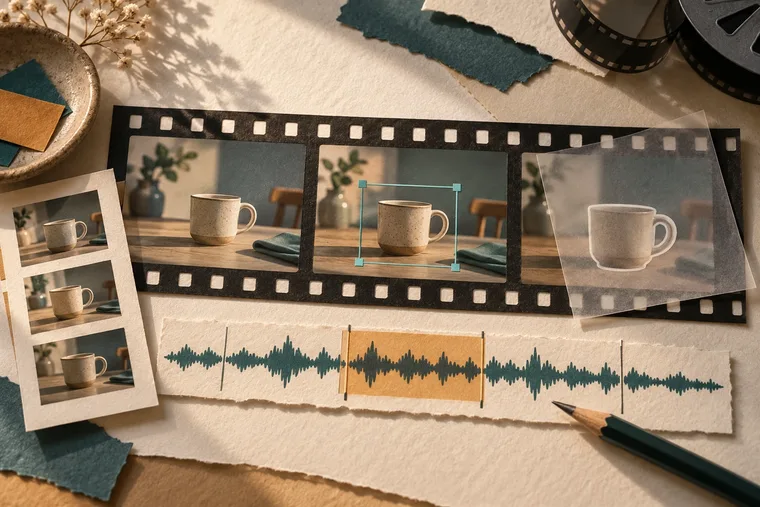
AI-generated concept illustration of footage search, masking and audio review. It is not a software screenshot or real project footage.
For the cup example, review the moment the hand enters the frame at normal playback speed, then inspect the mask edge frame by frame. A clean outline on one still does not establish stability through the movement. Compare the processed export with the untreated shot, including the shadow and sound of the cup touching the table.
Which capabilities are established rather than newly announced?
Adobe's announcement dated 2 April 2025 introduced Premiere Pro Media Intelligence alongside other features. Blackmagic Design announced Resolve 20 on 4 April 2025, including AI IntelliScript and updates to Magic Mask. These are 2025 milestones, not launches from this week. Check the version, edition, supported language and hardware in your actual installation before planning around a feature.
Also distinguish assistance from synthesis. Finding a shot in a bin is different from generating extra frames at its end. A transcript describes recorded words; a model that rewrites a speaker's answer creates new text. If you need to preserve an interview as evidence of what someone said, that distinction has practical consequences for every edit.
How do you start without losing the source?
Keep camera originals and production audio separate from working files. Establish a project copy or sequence version for experiments. Preserve clip names, timecodes and the link back to the source, including sync relationships where relevant. A useful result is one you can trace and revise, not just a clean-looking export.
Define the task before using a feature. For example: locate all mentions of glaze, find shots of the maker's hands, or isolate the cup for a small exposure adjustment. Avoid a broad instruction to “make the interview more powerful.” That invites judgments about tone and meaning that should be discussed by people.
Decide what counts as a usable output. A transcript needs accurate names and sentence boundaries. Search results need the right action, not merely a matching object. A tracked mask needs stable edges through movement and occlusion. Setting those criteria beforehand makes the review concrete.
What should you check in an AI transcript?
Listen while reading. Names, specialist terms, quantities, negatives and mixed-language phrases deserve attention. In the fictional interview, “we do not fire this glaze at that temperature” could become a misleading statement if the word “not” disappears. A transcript that looks grammatical can still be wrong.
Open the source around every selected quote. Check the question, qualification and sentence that follows it. A short excerpt may sound like a promise when the speaker was describing an experiment or explaining an exception. Keep the meaning of the complete exchange, even when the final film uses only part of it.
Use transcript edits to navigate and assemble a first pass, then listen to the actual transitions. The cut may remove a word cleanly on the page while producing an unnatural breath, a changed emphasis or a visible jump. Repair the edit through source selection and timing; do not assume smooth text means natural speech.
Can visual search choose the right shot?
Visual search can suggest candidates. Adobe's Media Intelligence FAQ describes local analysis and search. That is a property of the described feature, not a claim that every Premiere function processes media locally.
Search “hands shaping clay” in the fictional project, then watch the results. One clip might show cleaning tools, another might show the wrong stage of production, and another might contain the strongest hand movement but miss focus. A semantic match is only the beginning of selection.
Create a selects sequence that keeps handles before and after the action. Watch how the movement begins, peaks and resolves. Those handles let you cut on an intentional moment and retain room for sound. Choosing the exact center of every suggested clip can leave you with fragments that never connect.
What makes a mask ready for delivery?
A mask is a selected region of an image. A tracked mask follows that region across frames. In the cup example, it might let you slightly adjust the cup's brightness without affecting the table. Review the edge around the handle, the contact with the table, reflections and any hand moving across it.
Check the first and last frames, then the complete shot at normal speed. A mask can look excellent in a paused frame while pulsing during motion. Inspect transitions into blur, changes in scale and temporary occlusion. If tracking slips, correct it or use a different method; do not hide the error behind a quick cut without checking the final sequence.
Keep adjustments motivated by the intended look. Making the product unnaturally bright may solve a local exposure problem while breaking the scene's lighting. Match it to adjacent shots. If you change a product's appearance in a way that could alter what viewers believe about it, raise that issue before approval.
Where should automatic assembly stop?
TaskUseful assistanceHuman reviewInterview transcriptionSearchable words and draft timingAccuracy, context and consentShot searchCandidate clipsAction, focus, continuity and relevanceMaskingInitial selection and trackingEdges and temporal stabilityDraft assemblyA starting sequenceStory structure and emotional rhythmReview notesPotential omissions or inconsistenciesWhether the finding exists in the actual exportAn automated assembly can follow a script while missing why one take matters. The maker may pause before describing a failure, glance at an unfinished cup or smile after a correction. Those details can carry the story. A model's preference for a shorter answer or cleaner grammar may remove precisely what makes the person understandable.
Use the draft to start a conversation, then make a deliberate editorial choice. Write down why a take stays: the action is readable, the answer keeps its qualification, or the reaction connects the scene. A reason is more useful during client review than “the tool picked this one.”
How do you check image, sound and meaning together?
Play the exact export from beginning to end with sound. Inspect every transition rather than only the sections where AI was used. A corrected transcript can still lead to a wrong subtitle; a good mask can reveal a mismatch once a neighboring shot is graded; a searched B-roll clip can create an unintended claim when placed over a sentence.
In the fictional film, a shot of a finished glazed cup over a sentence about an unsuccessful test might imply that the shown product failed. Move the image, change the edit or keep the necessary explanation. The relationship between picture and speech is part of the factual review, not just a visual preference.
Listen for breaths, room tone, noise changes and music endings. Noise reduction should not make a voice metallic or erase the sound of an action the viewer sees. Keep an untreated reference available. Compare at a consistent listening level so “louder” is not mistaken for “better.”
What should a small test actually measure?
Choose material that resembles the real task: accented speech, repeated takes, occluded objects or a moving camera. Measure the complete process, including analysis, corrections, export and review. A fast first output may still require more repair than manual work. Record what failed as well as what succeeded.
Test language support with actual speech rather than a vendor's general AI label. Verify punctuation, names and mixed Vietnamese-English terminology. For subtitles, compare against the approved transcript and check line breaks at phone size. The same words can become difficult to read when divided at the wrong place.
Keep the original sequence and a clear way to disable or remove the processing. If the result is unsuitable, return to the source without rebuilding the project. Reversibility is especially useful close to delivery, when a subtle artifact may appear only after compression.
- Keep a source sequence before processing.
- Test one representative passage with its surrounding context.
- Compare picture and sound against the source.
- Review the final export at the intended viewing size.
Frequently asked questions
Does AI support mean adding generated footage?
No. Transcription, search and masking can work on real footage. Generating or extending content is a separate action and needs a separate decision about purpose and disclosure.
Can a transcript replace watching the interview?
No. It helps navigation but does not carry performance, pauses, gestures or the full sound of a response. Watch selected passages in their source context.
Is an AI review a final quality check?
It can suggest places to inspect. The editor must confirm the finding in the exact picture and audio, then review the delivered version.
Sources checked on 10 October 2026. No time-saving percentage is claimed here. Continue with the post-production workflow, browse the portfolio, or discuss a real-footage edit with 9,6Hz Agency.